What's New
Previous & Next Updates and Secret Links
Discover Secret User Groups, easier product visibility controls, and new Previous and Next buttons for browsing project updates.

Secret User Groups
Giving backers access to special offers and discounts during special events is a common crowdfunding practice, and we want to make it as seamless as possible. Until now, creators could group existing backers or import users directly into a group. Now, we’re giving creators even more flexibility with a brand-new option.
We’ve refreshed the User Groups view, but the biggest highlight is the ability to create a Secret User Group. This allows users to join your project through a dedicated link and become part of the group even before the project launches, unlocking access to exclusive perks prepared just for them.
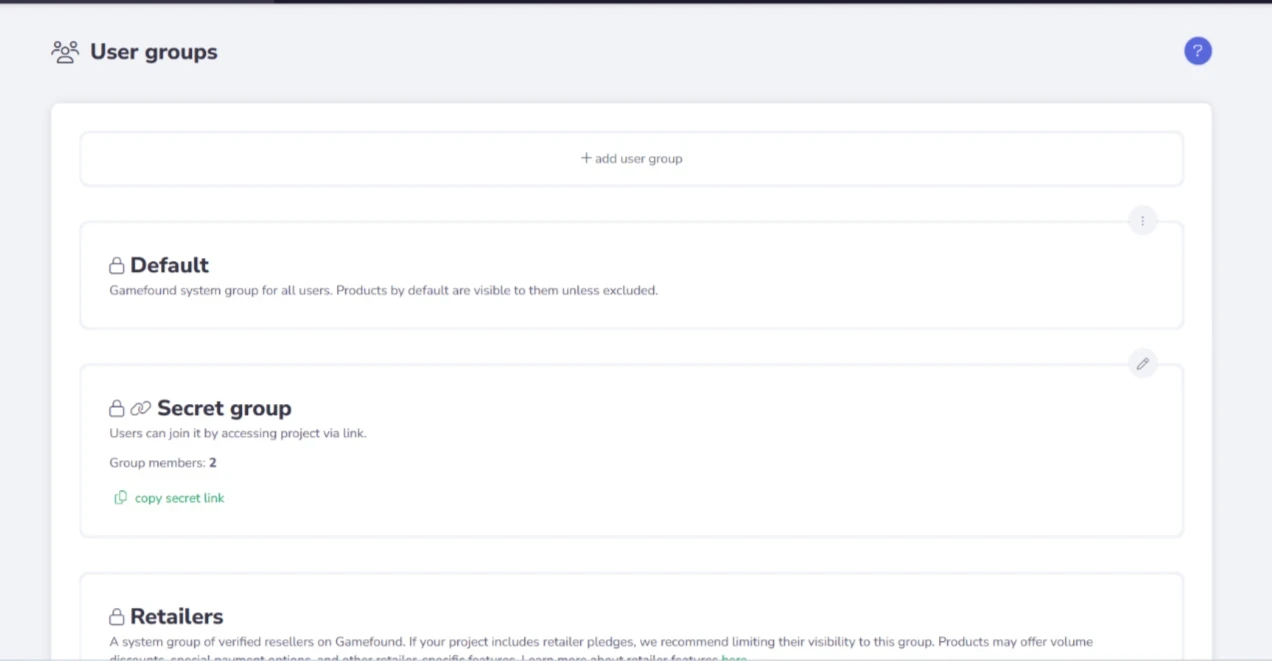
When users click such a link, they’ll be asked to log in and will then be added to the group automatically (Secret Groups won’t work for guests). Their email addresses will not be shared with creators until they make a pledge.
Beyond that, Secret Groups work with the same flexibility as regular User Groups – from making a single item exclusive, through applying discounts, to creating entirely separate offers for users who joined via the secret link.
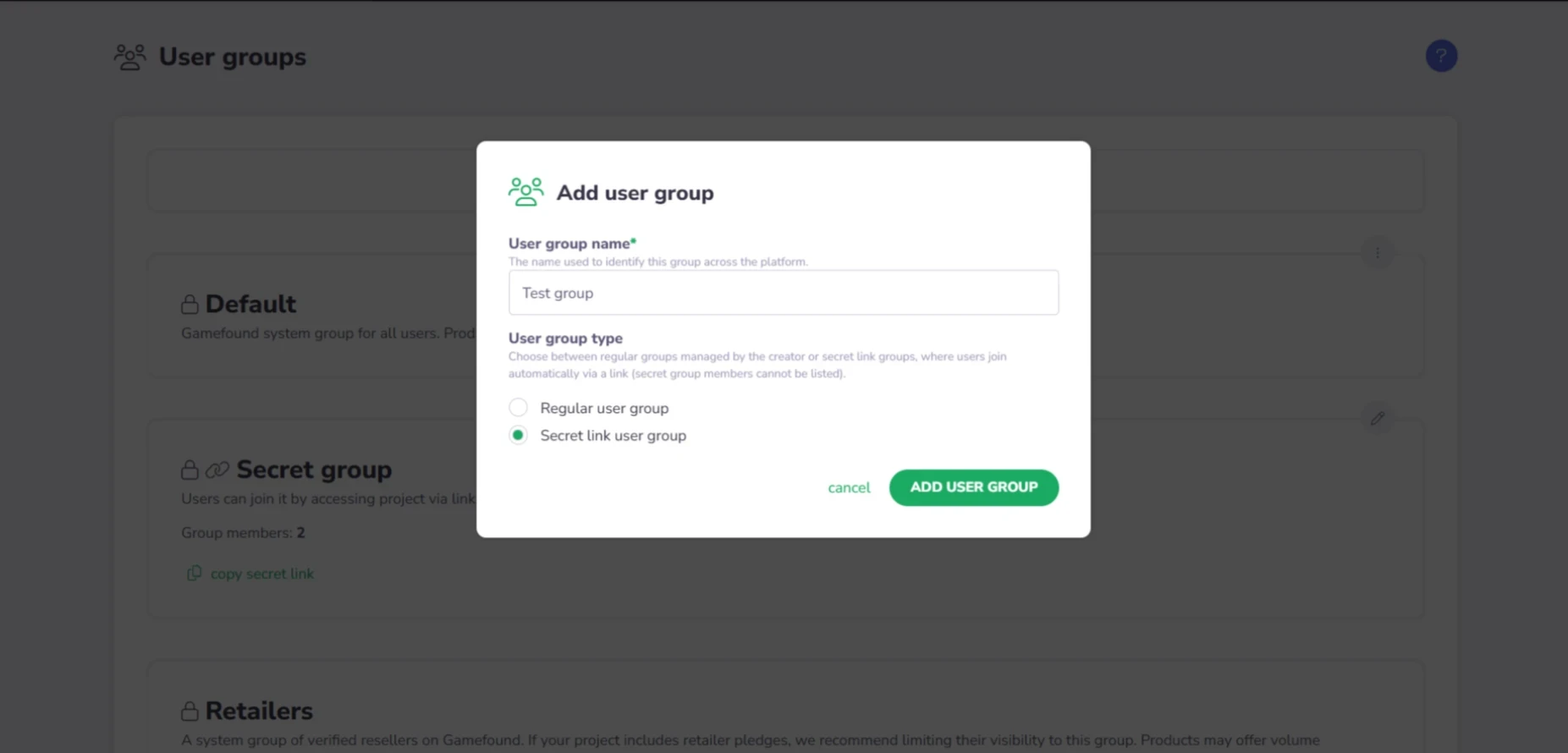
One Secret Group will now be created by default for every new project, so you can start using it right away. If you need multiple links, no worries – you can always create additional Secret Groups.
Keep in mind that links allowing users to join a Secret Group will work for anyone who has access to them. We don’t recommend using them for very heavy discounts, as links can spread quickly. If you want to offer something highly exclusive to selected users, it’s safer to use regular User Groups instead of a shareable link.
Secret Groups can also become a great tool for collaborations with content creators. For example, you could prepare a special set of cards themed around a well-known creator. They can then share the Secret Group link with their audience, giving them access to a reward unavailable to anyone else. It also makes it very easy to track how many users joined the Secret Group and how many of them became backers.
Assigning Groups
Before today, you had to prepare a product group to limit the visibility of just one item. Now, you can assign user groups directly to a product in the Availability settings.
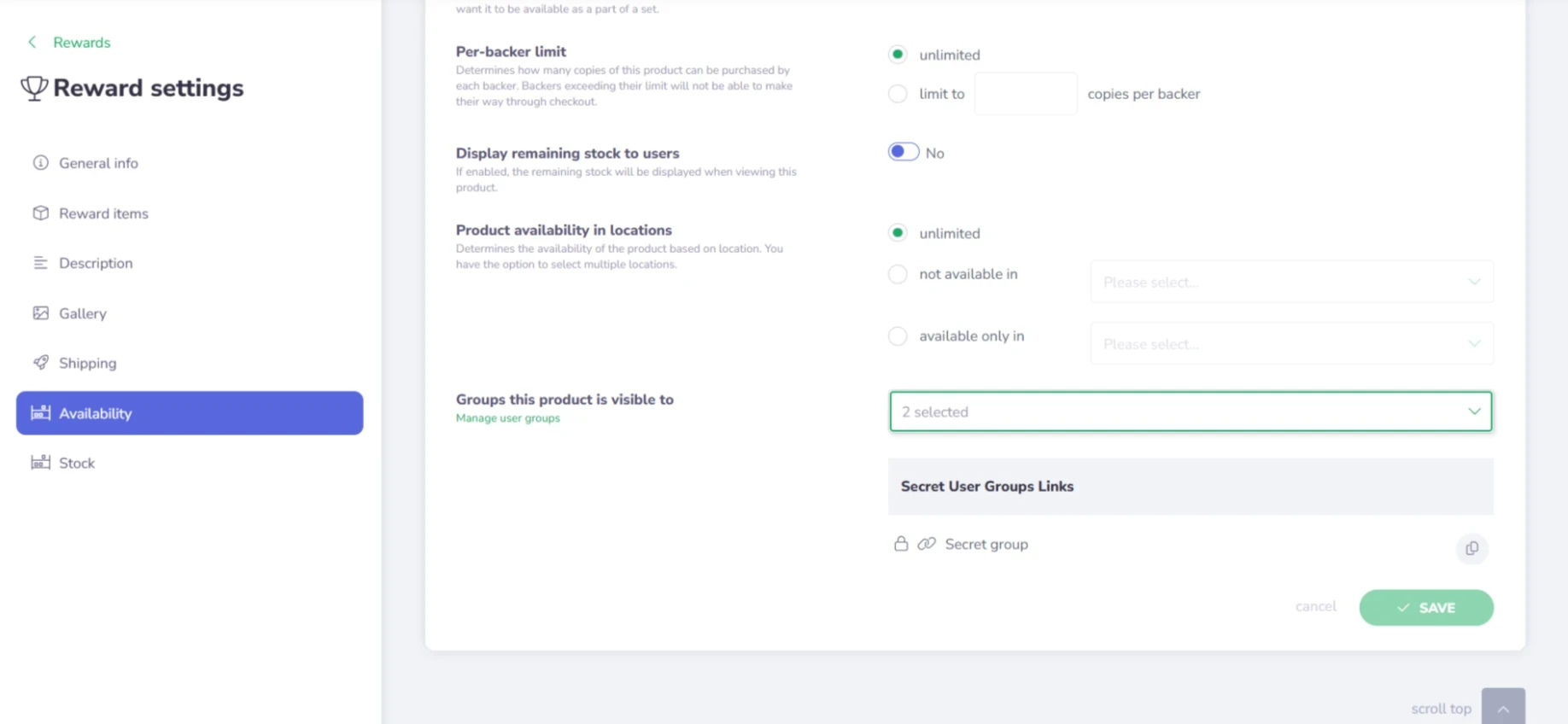
This option is especially useful when you don’t need to restrict an entire product group, but only a single item. You can also copy the corresponding Secret Group link directly from this view.
Products and Product Groups with visibility limited to specific User Groups will not be displayed to users who are not members of at least one assigned group.
For users who do have access, we’ve also prepared a dedicated “Special” label to help distinguish items and offers created specifically for them.
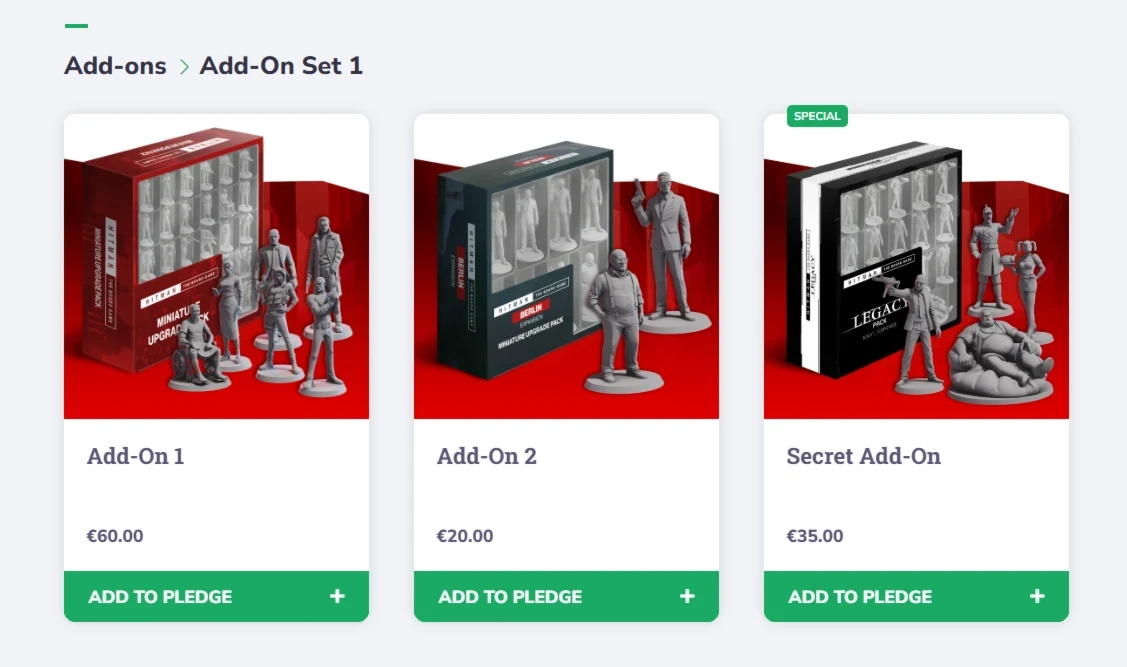
We’ll continue improving the product and User Group flow further – this is just the beginning!
Next & Previous Update
One of the most requested features from backers is finally here. It took some time, but we heard you!
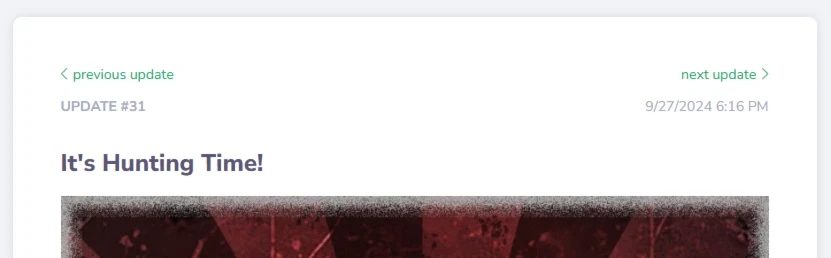
You can now jump between project updates using dedicated Next and Previous buttons, making it much easier to browse update history without having to return to the main Updates list each time.
We’re looking forward to hearing your feedback – and meeting you in person! If you’re going to UKGE and would like to meet with us, click the image below to book a meeting.